

How to Check My Pay Stub Online & View Direct Deposit Stubs
A complete walkthrough on how to view your pay stub if you have direct deposit, how to check your pay stub online across major portals, and where to locate your official pay stub number.
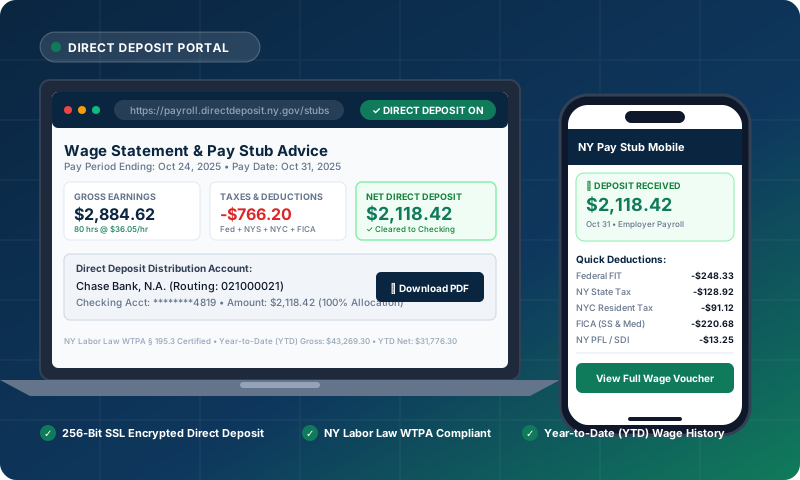
How Do I View My Pay Stub If I Have Direct Deposit?
If your paycheck is automatically deposited into your checking or savings account via direct deposit, your employer is legally required under the New York Wage Theft Prevention Act (WTPA § 195.3) ↗ and federal standards outlined by the Consumer Financial Protection Bureau (CFPB) ↗ to provide you with an itemized wage statement every pay period. Even without a paper paycheck, you can view your pay stub through several direct channels:
How to Check My Pay Stub Online: Step-by-Step by Provider
Here is how to check your pay stub online across the most common payroll management systems used by New York businesses:
ADP (ADP Workforce Now / ADP Mobile / iPayStatements)
1. Visit my.adp.com or launch the ADP Mobile Solutions app.
2. Sign in with your User ID and password.
3. Tap the "Pay" tab on your dashboard.
4. Click "View Statement" for the desired pay date to open the complete itemized earnings statement.
Workday
1. Sign in to your organization's Workday tenant.
2. Click on the "Pay" application icon from the Home menu.
3. Under the "View" column, select "Payslips".
4. Click "View" or "Print" next to any pay period to see your gross-to-net calculation and YTD amounts.
Paychex Flex
1. Go to paychex.com/login and choose Paychex Flex.
2. In the navigation sidebar, choose "Check Stubs".
3. Filter by date or tax year to view, print, or download PDF versions of your earnings vouchers.
Gusto & QuickBooks Workforce
1. Sign in at app.gusto.com or workforce.intuit.com.
2. Click "Pay Stubs".
3. You will see a chronological list of your paychecks with net pay and download links for the full PDF voucher.
What is a Pay Stub Number & Where Is It Located?
A pay stub number (often referred to as the Check Number, Voucher Number, or Advice Number) is a unique sequential identification number assigned by a payroll processing system to a specific payment transaction.
When applying for a mortgage, auto loan, or NYC apartment lease, underwriters ask for the pay stub number to verify that consecutive statements are provided (ensuring no missing pay periods or undisclosed payroll gaps) and to authenticate the document against your employer's payroll register.
Where to Find Your Pay Stub Number:
- Top Right Header Box: Look for fields labeled "Check No.", "Advice #", "Doc #", or "Voucher #" (e.g., `#10842`). View our sample WTPA pay stub format to see exact placements.
- Direct Deposit Advice Slip: On direct deposit stubs, the check number is often preceded by "DD" or "DIR" (e.g., `DD-09412`), referencing federal ACH transfer records under IRS Publication 15-T ↗.
- Bottom Perforated Voucher: In traditional check layouts, the pay stub number appears in the MICR routing line at the bottom between delimiters (e.g., `⑆10842⑆`).
Need to Re-Calculate or Generate an Itemized NY Pay Stub?
Use our free Pay Stub Calculator NY to compute gross-to-net pay with YTD totals, overtime hours, and an authentic check voucher with a custom pay stub number. Verified against official NY Department of Taxation and Finance ↗ withholding algorithms.
Launch Pay Stub Calculator NY »